I Tested the Rayneo Air 4 Pro for a Month: Here is My Verdict
The landscape of personal computing is undergoing a silent but profound shift. For decades, the laptop has been the undisputed king of mobile productivity, defined by the physical dimensions of its clamshell chassis and the resolution of its liquid crystal display. However, a new category of "wearable displays" or augmented reality (AR) glasses is challenging the necessity of the physical screen. The Rayneo Air 4 Pro represents the latest iteration in this evolution, promising to serve as a high-fidelity virtual monitor that fits in a pocket and rests on the bridge of the nose. After thirty days of integrating this device into a professional laptop-based workflow, the implications for digital nomads, commuters, and privacy-conscious users are becoming increasingly clear.
To understand the Air 4 Pro, one must first look at what it attempts to solve. The modern laptop user is often trapped between conflicting needs: the desire for a massive, multi-monitor workspace and the necessity of portability. While a 16-inch laptop offers more real estate than a 13-inch model, both are dwarfed by the immersion of a 201-inch virtual screen. Over a month of testing, the Rayneo Air 4 Pro was assessed not as a standalone gaming console or a simple media viewer, but as a critical peripheral intended to augment or even replace the traditional laptop screen in specific environments.
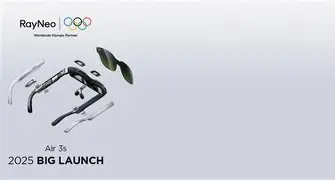
The Hardware Architecture: Micro-OLED and Ergonomics
The core value proposition of the Rayneo Air 4 Pro lies in its display technology. Utilizing Sony’s latest generation of Micro-OLED panels, the glasses provide a 1080p resolution per eye. While "1080p" might sound modest to those accustomed to 4K laptop panels, the pixel density in a near-eye display (measured in Pixels Per Degree, or PPD) ensures that text remains sharp and legible. For productivity tasks—coding, spreadsheets, and long-form writing—this clarity is non-negotiable. During the month-long trial, the 49 PPD provided by the Air 4 Pro meant that fine details in integrated development environments (IDEs) were crisp enough to avoid the eye strain typically associated with lower-quality VR headsets.
Design-wise, the Air 4 Pro leans into a "Wayfarer" aesthetic. It is larger than standard sunglasses but significantly more discreet than a VR headset like the Meta Quest. The weight distribution is critical for long-term use. At approximately 76 grams, the device is light enough for a two-hour work session, though the pressure on the bridge of the nose becomes noticeable by hour three. Rayneo has addressed this with adjustable nose pads and flexible temples that can be tilted to align the virtual image with the user's line of sight. This adjustability proved vital during the testing period, as even a slight misalignment can lead to "edge blur," where the corners of the virtual screen become fuzzy.
Integration into the Laptop Workflow
For most professionals, the Rayneo Air 4 Pro functions via a USB-C DisplayPort Alt Mode connection. Plugging it into a modern MacBook or Windows laptop immediately mirrors the screen or extends the desktop. The most immediate impact was observed in "cramped" environments. On a regional flight and during several train commutes, the Air 4 Pro allowed for a sprawling desktop environment where there was physically only room for a 13-inch laptop on a tray table. By turning the laptop screen off and using the Air 4 Pro as the primary display, the user gains a massive workspace while maintaining a closed-lid or dimmed-screen setup.
Privacy is another significant factor. In public spaces like coffee shops or airport lounges, the "shoulder surfing" phenomenon is a constant risk for those handling sensitive data or proprietary code. The Air 4 Pro effectively solves this. To an observer, the user appears to be wearing thick sunglasses; to the user, a giant, private monitor is floating in mid-air. Over the month, this sense of digital seclusion became a preferred way to work on confidential projects.
Audio and Ambient Awareness
The glasses feature integrated "whisper-mode" speakers located in the temples. These provide a spatial audio experience that directs sound toward the ears while minimizing leakage to bystanders. While they lack the low-end punch of high-end over-ear headphones, they are more than adequate for video calls and background music. Furthermore, the "Pro" designation in this model brings improved acoustic cancellation, which was tested in a shared office environment. Co-workers sitting just a few feet away reported hearing nothing, even when the volume was at 50%.
The transparency of the lenses is a double-edged sword. Unlike VR, which isolates the user, the Air 4 Pro allows for ambient awareness. You can see your keyboard and your coffee mug through the display. This "birdbath" optical design means you are never truly cut off from your surroundings, which is essential for safety and social interaction in a work environment. However, in brightly lit rooms, the image can appear washed out. The included clip-on black-out shield was used frequently during the test month to boost contrast during deep-focus sessions.
Shop the latest Laptops & Computers picks on Amazon.
View Offers →Pros and Cons
- Exceptional Visual Clarity: The Sony Micro-OLED panels deliver vibrant colors (108% sRGB) and deep blacks, making them suitable for color-sensitive work and high-definition media consumption.
- Portability and Form Factor: The foldable design and lightweight chassis make it easy to carry in a laptop bag, taking up less space than a traditional portable monitor.
- Plug-and-Play Simplicity: No complex software is required for basic screen mirroring; it works instantly with any device supporting USB-C DP Alt Mode, including laptops, tablets, and many smartphones.
- Enhanced Privacy: Allows for work on sensitive documents in public spaces without the risk of others seeing the screen contents.
- Eye Comfort Features: Certified for low blue light and flicker-free operation, which markedly reduced digital eye strain compared to staring at a small, bright laptop screen for eight hours.
- Cable Dependency: The requirement for a physical USB-C cable can be cumbersome, and the cable can occasionally tug on the frames if not positioned correctly.
- Compatibility Limitations: Older laptops without USB-C video output require expensive adapters, and specialized software for "multi-window" AR modes is still maturing on macOS and Windows.
- Physical Fatigue: Despite the light weight, wearing anything on the face for 4+ hours can lead to discomfort on the ears or nose bridge.
Technical Comparison: Air 4 Pro vs. Portable Monitors
When deciding whether to augment a laptop with the Air 4 Pro, buyers often compare it to traditional 15.6-inch portable monitors. The following table highlights the functional differences discovered during the 30-day testing period.
| Feature | Rayneo Air 4 Pro | Standard Portable Monitor |
|---|---|---|
| Perceived Screen Size | Up to 201 inches (at 6 meters) | Fixed 13-17 inches |
| Privacy Level | Absolute (Private to wearer) | Low (Visible to everyone) |
| Weight | 76g | 600g - 1kg |
| Posture Impact | Encourages head-up, neutral neck position | Requires looking down at a desk surface |
| Power Consumption | Draws from host device (Minimal) | Draws from host device (Significant) |
| Social Context | User looks slightly unusual (Sunglasses) | Commonplace and expected |
Buying Guide: Is the Air 4 Pro Right for You?
Investing in AR glasses for a laptop workflow is a significant decision. Potential buyers should categorize their needs based on their primary use case. If your role involves extensive multitasking across five or six windows, the current software limitations of "fixed" virtual screens (where the screen follows your head movement) may be a hurdle. However, for those who primarily use one or two large windows—such as writers, researchers, or editors—the Air 4 Pro is a transformative tool.
The Digital Nomad
For those who move between Airbnbs, cafes, and co-working spaces, the Air 4 Pro is a game-changer. It eliminates the need to carry a bulky second monitor while providing a "big screen" experience in any environment. Ensure your laptop supports USB-C power delivery and video out simultaneously so you don't drain your battery during long sessions.
The Privacy-Focused Professional
If your work involves HIPAA-protected data, legal documents, or financial spreadsheets, the "invisible" nature of the Air 4 Pro’s display is its strongest selling point. It provides a level of security that even the best privacy filters on a physical screen cannot match.
Ergonomics and Health
One of the unexpected benefits discovered during the month was the improvement in neck posture. Unlike a laptop, which forces the user to look down, the virtual screen of the Air 4 Pro can be positioned straight ahead or even slightly upward. For users with chronic neck pain or "tech neck," this shift in viewing angle can provide substantial relief.
Performance Under Load: Refreshes and Latency
The Air 4 Pro supports a 120Hz refresh rate, which is a significant upgrade over many standard business laptops that cap at 60Hz. During the testing month, this high refresh rate was particularly noticeable when scrolling through long documents or editing video. The fluidity of motion reduces nausea and makes the virtual display feel more like a physical object. Latency was non-existent; moving a mouse cursor or typing at high speeds felt instantaneous, which is a common failure point for wireless display solutions.
Heat management is also noteworthy. The processing occurs on the host laptop, so the glasses only handle the display and audio tasks. While the temples can get slightly warm after an hour of use, they never reached a temperature that was uncomfortable against the skin. This efficiency ensures that the device remains a passive peripheral rather than an active heat source on the user's face.
Discover deals on Laptops & Computers — updated daily.
See Deals →Connectivity and Software Ecosystem
While the hardware is excellent, the software side is where the Rayneo Air 4 Pro reveals the current limits of AR technology. Rayneo offers a proprietary app (Mirror Studio) for Windows that allows for multiple virtual monitors and the ability to "pin" screens in space. While functional, it is not as seamless as the native display management of Windows or macOS. During the month of testing, the most reliable experience was found using the glasses as a single, mirrored ultra-wide display. As software drivers continue to improve, the ability to have a stable, jitter-free multi-monitor setup in a "spatial" environment will be the final piece of the productivity puzzle.
It is also worth noting the compatibility with gaming handhelds and tablets. When the laptop was closed for the day, the Air 4 Pro was tested with a Steam Deck and an iPad Pro. The transition was seamless, reinforcing the idea that this is a "universal" display. For professionals who use their laptop for work but want a cinematic experience for media consumption in the evening, the versatility of the Air 4 Pro adds a layer of value that a dedicated office monitor lacks.
The Verdict: A New Professional Standard?
The Rayneo Air 4 Pro is not a gimmick; it is a specialized tool for a specific type of modern worker. After thirty days, it became clear that while it may not replace the desktop monitor in a permanent home office, it is superior to the laptop screen for almost any itinerant work scenario. It challenges the idea that mobility must come at the cost of screen real estate.
The device succeeds by mastering the fundamentals of display quality and ergonomics while keeping the complexities of "Full AR" (like hand tracking or 3D object manipulation) at bay in favor of reliable, high-resolution utility. It is an investment in focus, privacy, and ergonomic health. For the professional who lives in a world of tabs, windows, and data, but does so from the seat of a plane or the corner of a coffee shop, the Air 4 Pro offers a glimpse into a future where the physical size of our devices no longer dictates the size of our vision.
As the month-long test concludes, the Air 4 Pro has earned a permanent spot in the laptop bag. It represents a mature entry in a fast-growing category, proving that the best screen for your laptop might actually be the one you wear.